
Appearance
How to move to Linkedin API v2
LinkedIn retired its old API. Revive Social supports API v2, but users who previously connected LinkedIn to the plugin might have to create a new LinkedIn App and connect it to the plugin.
Step 1
Go to the Accounts area and switch the app off, then click the trash icon that appears once the account is switched off to disconnect the app:

Once you disconnect the app, refresh the Revive Social page and then go to the LinkedIn app which you created on LinkedIn Developers and head to the Auth tab:
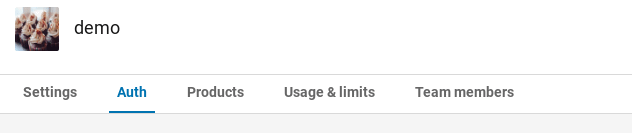
Scroll down the page and if your permissions area looks like the image below then you do not need to create a new app. You simply need to reconnect the app to Revive Social.
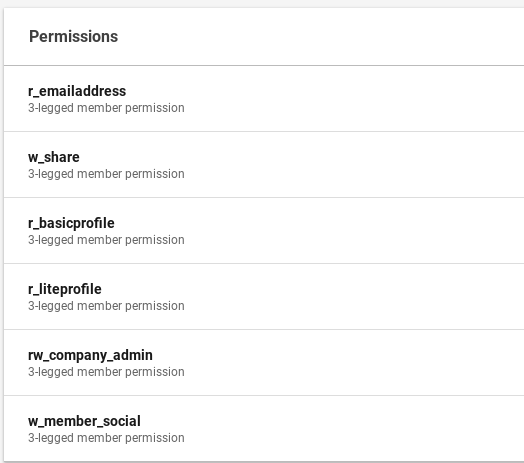
If your permissions area does not have the r_liteprofile, w_member_social and r_emailaddress permissions then you'd need to create a new LinkedIn App, follow this guide again if you need a refresher for creating a LinkedIn App: https://docs.revive.social/article/1151-how-to-refresh-linkedin-access-token
Encounter any issues? Send us a support ticket here: https://revive.social/support/