
Appearance
Hide Publish Now Metabox in Revive Social
You might want to hide the Revive Social Instant Sharing/Post on Publish metabox so that other Admins or Editors to not see the option when publishing posts (That way you can set the default option without worrying about them changing it):
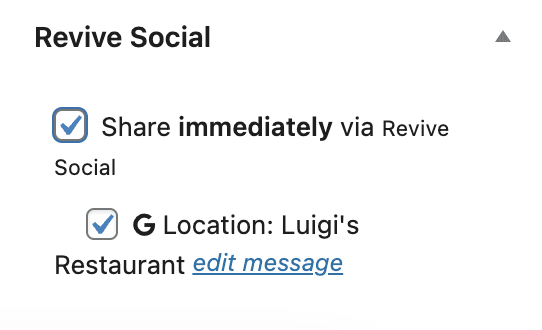
To do simply download the small plugin below:
DIY
Want to add the code yourself? Use the code block below. Note that this CSS method applies to the Classic Editor only; in the block editor, Instant Sharing appears in the plugin sidebar panel and is not affected by this snippet.
function rop_hide_metabox_custom_styles() {
    echo '<style>
    #rop_publish_now_metabox{
        display: none;
    }
    </style>';
}
add_action('admin_head', 'rop_hide_metabox_custom_styles');